
Modern surface-mount electronics have pushed component footprints down to microscopic scales where manual rework without visual assistance is practically impossible. Equipping your electronics workbench with a digital microscope transforms how you inspect solder fillets, bridge micro-traces, and diagnose hairline fractures on dense circuit boards. Whether you are hunting for cracked ceramic capacitors or reballing integrated circuits, understanding optical performance metrics ensures you invest in gear that accelerates diagnostics instead of causing visual fatigue. Choosing the right digital microscope for electronics repair demands balancing sensor latency, optical working distance, and physical stability on a busy repair bench.
Transitioning from an optical stereo microscope to a digital microscope system alters how a technician interacts with micro-components. Instead of peering downward through binocular eyepieces, you view a live video feed rendered on a high-definition monitor. This screen-based setup relieves cervical spine compression and eliminates neck fatigue during multi-hour repair shifts. However, transferring an optical image onto a digital sensor introduces technical trade-offs between physical optical magnification, digital interpolation, working distance, and depth of focus that directly govern rework accuracy.
Magnification values listed on retail packaging frequently bundle true optical zoom together with digital cropping. Optical zoom relies on physical glass elements shifting within the lens assembly to project a larger image onto the camera sensor. Digital interpolation merely stretches sensor pixels across a screen, calculating intermediate pixel values through mathematical smoothing.
While a 1000x digital zoom sounds impressive in promotional copy, it tends to yield pixelated blur rather than actionable optical resolution. Optical zoom can enlarge the image without the pixel-stretching artifacts of digital interpolation, though usable detail ultimately depends on the complete optical system, including lens quality, sensor resolution, and the imaging pipeline. For delicate board diagnostics, optical resolving power in the range of 10x to 50x magnification is a commonly cited example that tends to serve rework needs better than blown-out digital enlargement, though the ideal range still depends on the specific board and component size.
Working distance represents the physical clearance between the lowest glass element of your microscope objective and the top surface of the circuit board. This clearance is a function of the optical system and lens design, not of whether the image is magnified optically or digitally. Consumer digital inspection cameras can restrict tool access when working distance is limited, and you cannot easily manipulate a micro-soldering iron tip or rework tweezers when your lens sits too close to the joint.
A dedicated digital microscope for soldering generally benefits from a working distance of at least one hundred millimeters, and some setups extend up to one hundred and fifty millimeters, though exact figures vary by model and should be checked against the manufacturer’s specification sheet. This vertical clearance leaves room for curved tweezers, flux dispensers, and angled hot air nozzles, helping avoid accidental contact against the objective casing while keeping the entire component cluster inside your field of view.
Depth of field describes the vertical depth plane that stays in sharp focus at any given moment. Optical physics dictates that as magnification increases, depth of field shrinks noticeably. At thirty times magnification, a step height of just one millimeter can throw part of a tall electrolytic capacitor out of focus while keeping the underlying circuit board traces crisp.
Managing this shallow focal plane requires deliberate lighting adjustments and lens aperture tuning. Closing down the lens aperture slightly broadens the depth of field, bringing taller surface-mount components and low-profile pads closer to simultaneous focus. Doing so requires brighter external illumination to offset the reduced light transmission through the smaller optical aperture.
| Optical Factor | Optical Zoom Lens | Digital Software Zoom |
|---|---|---|
| Resolving Mechanism | Physical glass refraction | Software pixel enlargement |
| True Detail Integrity | Preserves image without pixel stretching | Generates fuzzy pixelation |
| Effective Magnification | Example range: 10x to 50x continuous optical | Often inflated marketing figures |
| Bench Application | Live micro-soldering and rework | Rough inspection only |
Working distance is not determined by the zoom method itself. It is a separate, model-specific specification set by the lens and housing design, so it should always be checked on the individual product datasheet rather than assumed from whether the zoom is optical or digital.
Selecting equipment based solely on marketing megapixels leads to sluggish workbench frustration. When performing precision micro-soldering, hand-eye coordination relies on immediate, fluid visual feedback. A high-resolution digital microscope setup should satisfy reasonable video transmission and optical standards to come close to the natural, instantaneous feel of direct eyepiece observation.
A 60 FPS video stream means a new frame arrives roughly every 16.7 milliseconds, which describes how often the image updates rather than how quickly your action on the board appears on screen. Total end-to-end latency depends on the whole imaging chain: the image sensor’s processing time, any onboard compression, the transmission interface, and the display’s own response time. A high frame rate does not by itself guarantee low latency.
HDMI connections commonly support sustained high frame rates with comparatively direct signal paths, while generic USB 2.0 interfaces can introduce additional encoding and driver-level buffering that adds delay. Neither interface alone determines the final result, though, so the more reliable approach is to compare a manufacturer’s stated end-to-end latency and supported frame rate for the specific camera and display combination you intend to use, rather than assuming performance based on the connector type alone.
Molten solder solidifies into a curved, mirror-like metallic meniscus that reflects standard ring lights straight back into the camera lens. These specular highlights can produce bright blind spots on the monitor, obscuring micro-fractures, incomplete wetting angles, and solder ball bridges beneath integrated circuits.
Cross-polarized illumination helps address this specular washout by filtering directional light waves. Placing a linear polarizing filter over the LED light ring and a cross-oriented analyzer filter on the lens reduces direct reflections. Polarized digital microscope lighting dampens hot spots and makes the underlying surface texture, flux residue lines, and shadowed contours easier to see, though it reduces glare rather than confirming the presence of a defect on its own.
Sensor surface area matters more than arbitrary megapixel counts. A small 1/3-inch sensor crammed with twenty megapixels features tiny physical pixels that capture limited photons, often resulting in noisy, grainy low-light images. A larger 1/2-inch or 1/1.8-inch sensor with fewer, larger photosites gathers more light and tends to provide better dynamic range across shiny solder joints and dark circuit board substrates.
Sensor resolution should also be matched to your display. An eight-megapixel sensor may be sufficient for many 1080p workflows and for some 4K setups depending on cropping and processing, but full native 4K UHD output requires at least 3840 by 2160 pixels, which works out to roughly 8.29 million pixels, slightly above the eight-megapixel mark. Delivered sharpness ultimately depends on the lens quality and imaging pipeline as well as raw pixel count, so a clean signal from a well-matched sensor helps keep solder traces sharp and reduces the chance of digital noise being mistaken for component cracks.
Even a sharp digital microscope camera cannot perform accurately if it vibrates every time you tap the bench or if your board shifts during heating. Precision electronics rework benefits from a rigid, thermally stable environment where visual clarity, steady clamping, and temperature-controlled soldering tools work together.
Hot air rework uses a controlled hot-air stream to soften and reflow solder joints. Directing that thermal blast beneath a microscope objective risks damaging anti-reflective lens coatings or softening plastic housing rings. Maintaining vertical clearance helps protect the optics while providing room to angle the heat nozzle directly over the target package. Station settings, nozzle choice, airflow, distance, exposure time, and board thermal mass all combine to determine actual board and joint temperatures, so follow the equipment and process guidance rather than assuming a direct equivalence between station settings and board temperature.
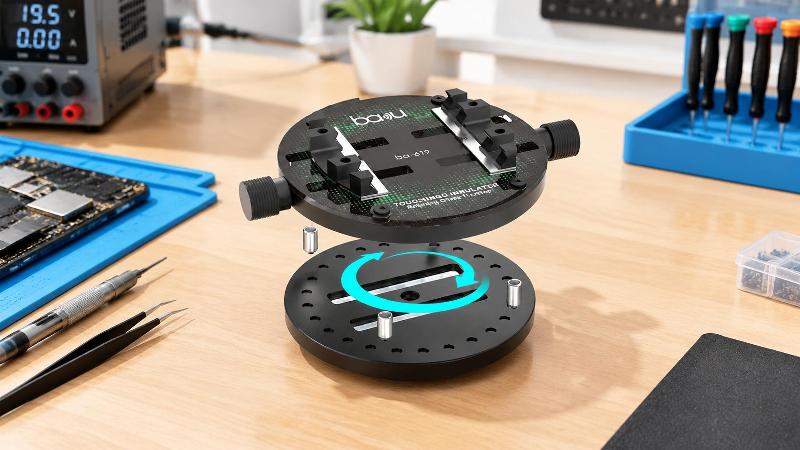
Underneath the circuit board, surrounding materials need to handle sustained thermal exposure without warping. According to the manufacturer’s specifications, these motherboard repair fixtures use toughened glass panels rated to withstand temperatures up to 500°C during hot air rework, providing a stable, heat-tolerant surface for holding the target printed circuit board level under the camera lens.
Sub-millimeter trace inspection reveals just how problematic microscopic vibrations can be. Typing on an adjacent keyboard or bumping the workbench can cause a magnified video feed to shake on screen. A heavy steel baseplate or a counterbalanced boom arm helps stabilize the optical assembly, isolating the focal point from ordinary shop vibrations.
Electrostatic discharge poses an invisible threat to microscopic semiconductor gates. Tools mounted near your viewing area benefit from conductive ground paths that help drain stray electrical charges. For us at Baku, building professional soldering equipment and precision tools for device inspection and repair has meant designing equipment with ESD-safe features, overload protection, and auto-sleep functions intended to protect delicate electronic components.
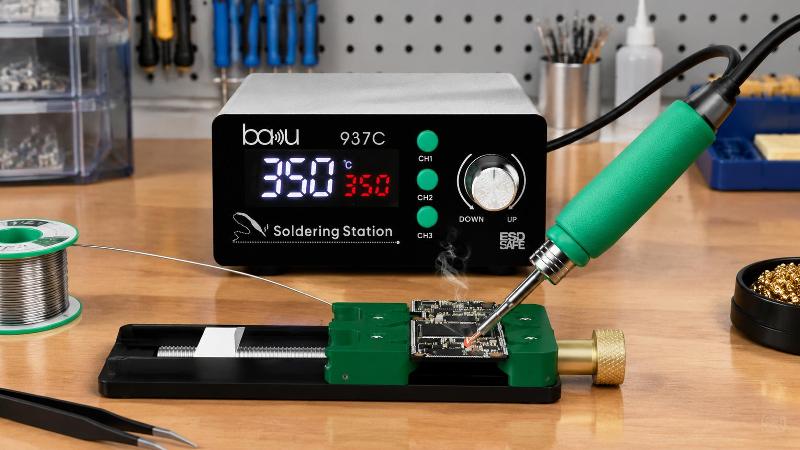
Working cleanly beneath a digital microscope camera requires precision tools suited to tight spatial envelopes. Bulky soldering handles can obstruct your line of sight and collide with adjacent passives. A slender iron handle paired with a fine-point, anti-oxidation tip lets you deliver localized heat to 0402 and 0201 packages without blocking your monitor view.
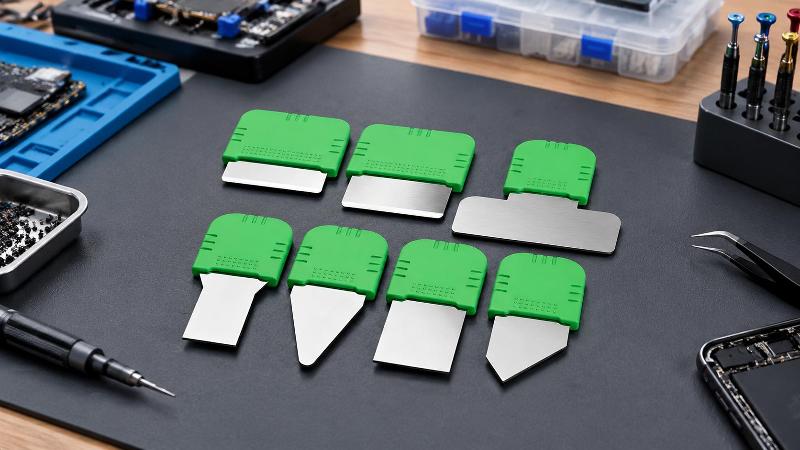
Similarly, opening modern glued assemblies and lifting micro-chips demands specialized manual tools. A multifunctional pry tool set with stainless steel blade profiles between 0.1mm and 0.2mm, paired with anti-slip silicone handles, is designed for precise prying and separating of adhesive-bonded panels. The thinner blade profile can help you work in tighter gaps, though avoiding damage to fragile dies or copper traces still depends on technique, applied force, and the specific device’s internal construction.
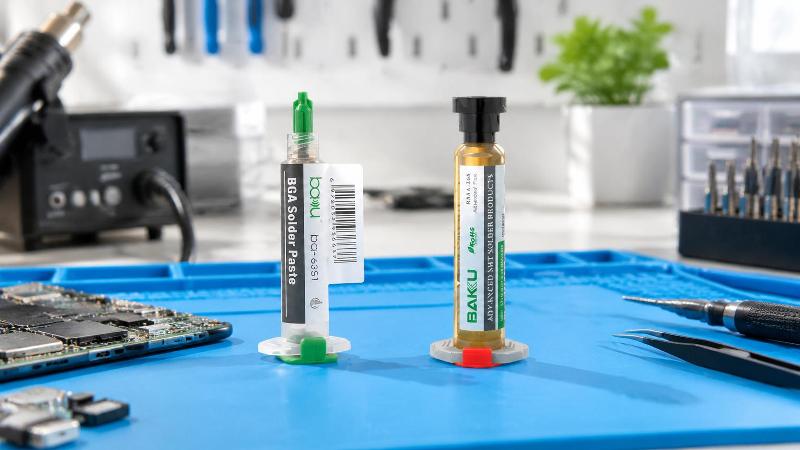
Integrating precision tools into a unified repair workstation can turn tricky component swaps into more repeatable procedures:
Secure the logic board inside a rotating fixture with an adjustable 10mm to 72mm clamping range to lock down loose components during probing.
Set your soldering station to target temperature; rated ±1°C thermal stability helps maintain consistent tip temperature during extended work sessions.
Position screwdrivers and ergonomic prying tools within easy reach to minimize bench clutter beneath the microscope field of view.
Check the manufacturer’s specifications for any additional equipment capacity ratings to ensure compatibility with your specific rework workflow.
Configuring a high-resolution inspection station requires systematically matching hardware features to the specific physical demands of your repair bench. Bypassing unneeded options keeps costs manageable while helping your optic setup deliver the frame rates, optical reach, and spatial ergonomics your daily workflow requires.
[Define Application Needs]
       │
       ├─► Heavy Soldering/Rework ──► Select 100mm+ Working Distance & High Sustained Frame Rate
       │
       └─► Quality Control/Photos ──► Select High-Megapixel Sensor & Software Measure
       │
[Display Architecture Choice]
       │
       ├─► Small Mobile Benches   ──► Integrated All-in-One Panel
       │
       └─► Full-Time Lab Stations ──► Dedicated Standalone Monitor on Articulated Arm
       │
[Support Stand Selection]
       │
       ├─► Standard Smartphone PCBs ──► Heavy Pillar Desktop Stand
       │
       └─► Wide Laptops / Consoles  ──► Articulated Dual-Arm Boom Stand
Begin by identifying whether your primary task is active rework or passive diagnostic documentation. Live soldering calls for an optical digital microscope with wide working clearance, solid heat tolerance, and a low-latency video path to support fluid hand coordination. If you mainly document cracked traces or record serial numbers for quality audits, latency matters less than measurement overlays and high-resolution still capture.
Technicians handling dense mobile logic boards should prioritize optical zoom ranges in roughly the 7x to 45x area as a starting reference point. This envelope offers wide contextual overviews for locating suspect rails, along with enough magnification to align micro-jumpers and solder bridges across fractured board traces.
Evaluate your available workbench space when choosing between an integrated LCD unit and an external display setup. Digital microscope systems featuring built-in seven-inch to ten-inch panels offer compact footprints that suit crowded satellite workbenches or mobile field kits. However, looking down at a small attached screen can recreate some of the neck strain common to optical eyepieces.
A standalone twenty-four-inch or twenty-seven-inch monitor mounted at eye level tends to deliver better ergonomics and visual clarity. Viewing an expanded board image from an upright posture reduces physical fatigue, making it easier to spot cold joints and hairline solder bridges without squinting.
The physical base determines how easily you can maneuver large circuit boards beneath the objective lens. Standard vertical pillar stands work well for compact smartphone boards, but their limited throat depth can make inspecting laptop motherboards and gaming consoles awkward.
Articulated double-arm boom stands mount securely to the rear edge of your workbench, suspending the microscope head over large workpieces. This overhead design frees up bench space underneath, allowing you to rotate bulky circuit assemblies and position preheaters within the optical axis.
High magnification reveals board anomalies that elude the naked eye, but interpreting those visual clues correctly requires training. Solder joint defects frequently mimic normal manufacturing variations, making structured visual inspection a useful first step, not a final verdict, in hardware diagnostics.
A sound lead-free solder joint typically features a smooth, concave wetting fillet where the alloy feathered onto the copper pad. Cold solder joints can present a rough, dull, or chalky surface texture, sometimes accompanied by irregular balling, but lead-free alloys can naturally look duller than leaded solder even when properly formed. A rough or dull appearance is a clue that warrants closer inspection rather than a confirmed diagnosis on its own.
Micro-fissures routinely develop along stress points adjacent to heavy surface-mount connectors and mechanical switches. Cross-polarized microscope lighting reduces glare and can make faint surface lines easier to see, but it does not by itself confirm whether a visible line is an actual crack. Suspected fissures or cold joints generally warrant a follow-up check, such as continuity testing or reflow and re-inspection, before a repair decision is made.
Solder bridging occurs when excess alloy forms an unintended electrical short between two adjacent IC leads. At fine pitches under 0.5 millimeters, these bridges can be thinner than a human hair and hide within flux residues. Viewing the pins at an angled 45-degree perspective under dynamic magnification can help expose bridges tucked beneath lead shoulders.
Tin whiskers present a particularly deceptive failure mode on lead-free assemblies. These microscopic, needle-like metallic filaments can grow from pure tin finishes over time, bridging minute gaps between high-density circuit traces. High-resolution digital inspection can help reveal these filaments before they cause hard-to-trace short circuits across logic power rails.
Ball Grid Array inspection represents one of the tougher visual challenges on the electronics bench because most of the solder joints sit hidden directly beneath the component package. A digital microscope tilted at an oblique angle can help assess package alignment and inspect the outer perimeter of accessible solder balls, but it cannot verify the condition of joints hidden under the package body. Confirming the integrity of the full joint array generally requires X-ray inspection or another suitable method intended for hidden-joint verification.
Pad lifting occurs when excessive mechanical pull or overheating tears copper land patterns away from the fiberglass board core. Under high magnification, exposed brown FR4 substrate around the solder perimeter is a visible sign that may indicate pad damage, and it generally warrants further investigation, such as continuity testing, before concluding that the trace has failed structurally and needs a jumper wire bypass.
A 60 FPS video stream updates roughly every 16.7 milliseconds, which is a useful reference point for smoothness, but it is not the same as total system latency. The actual delay you feel between moving the iron and seeing it on screen depends on the sensor, processing, transmission interface, and display combined, so it is worth checking a manufacturer’s stated end-to-end latency rather than frame rate alone.
A working distance in the general range of 100 mm to 150 mm is a commonly cited starting point for electronics rework, though the exact figure is set by the specific lens and housing design and should be confirmed on the product datasheet. This clearance provides room to position soldering irons, tweezers, and hot air nozzles beneath the lens while reducing the risk of heat damage to the optics.
A capable digital microscope with low end-to-end latency and an eye-level HDMI display can serve as a practical substitute for an optical stereomicroscope for many rework tasks. Optical microscopes still provide true binocular depth perception, but screen-based setups reduce neck strain and allow multiple technicians to review board details together.
Cross-polarization combines a polarizing filter over the light source with an analyzer filter on the camera lens to block reflected light. This optical filtering reduces bright specular glare on shiny solder joints, making surface texture, flux residue, and shadowed contours easier to see, though confirming an actual defect still calls for closer inspection or an additional test.
Maintain at least 100 mm of working distance and consider installing a replaceable protective glass filter on the bottom of the objective lens. In addition, direct your hot-air stream at an angle rather than pointing it straight at the optical assembly.
Investing in a capable digital microscope can shift your rework capabilities from hopeful guesswork toward more carefully verified visual inspection. By prioritizing a well-matched imaging chain, generous working distances, and polarized lighting, technicians can more comfortably examine micro-fractures, inspect lead-free solder fillets, and place miniature passives with greater confidence, while still pairing visual findings with appropriate electrical checks when a defect is suspected. Integrating your optical setup with rigid, heat-resistant fixtures and precise thermal gear helps create an efficient workbench where delicate electronics can be diagnosed and revived reliably day after day.

Technical Guide to Electronic Soldering Equipment: Thermal Dynamics, Architecture, and Selection Fra
Choosing precision soldering equipment involves balancing heating methods, thermal control, ESD protection, and auxiliary tools for reliable board-level rework.

Digital Microscope Guide for Electronics Repair and Precision Soldering
Choosing a digital microscope for electronics repair means balancing optical zoom, working distance, latency, lighting, and bench stability for accurate rework.

The Engineering Guide to Soldering Equipment: Precision Bench Architecture and Microelectronics Rewo
Choosing soldering equipment with precise thermal control, ESD safety, and proper fixtures reduces board damage and improves rework reliability.

Choosing the Right Electronic Repair Equipment for Professional Service Centers
Professional electronic repair equipment including soldering stations, rework fixtures, and precision tools enables efficient, high-quality device repairs in service centers.
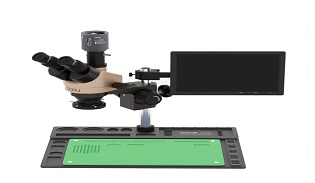
Stereo Microscope Price Guide: What Affects the Cost?
Discover what affects the price of a stereo microscope, including magnification, optical quality, digital features, lighting systems, and build materials. Learn how to choose the right model for electronics repair and precision inspection.
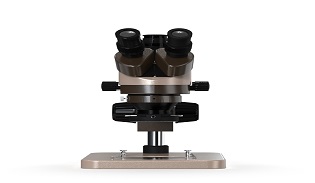
Stereo Microscope Uses: From Science Labs to Electronics Repair
Discover the key applications of stereo microscopes in biology labs, education, micro-soldering, and PCB repair. Learn how 3D magnification improves precision for scientific research and electronics technicians.

STAY CONNECTED